

1.使用说明 一般情况下,将/etc/apt/sources.list文件中Debian默认的软件仓库地址和安全更新仓库地址修改为国内的镜像地址即可,修改之后再运行apt update更新索引。 apt update 2.国内常见镜像站点 阿里云镜像站 deb https://mirror
 2024-11-22
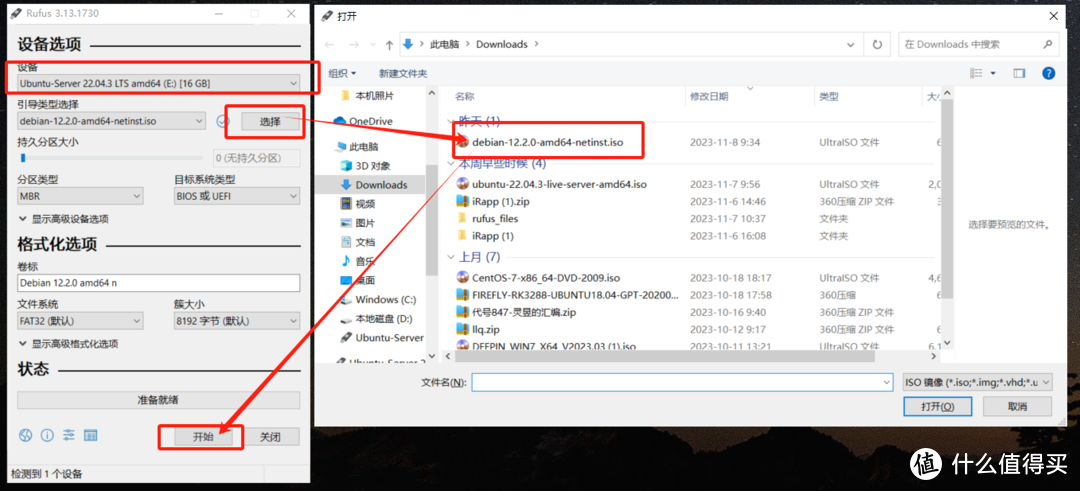
一、准备 在开始安装Debian系统之前,我们需要做好一些准备工作。首先,确保你的计算机硬件符合Debian系统的最低要求(2G内存4G存储以上)。其次,准备好一张Debian安装光盘或一个可用的安装镜像U盘(8G以上,格式化为FAT32文件系统)此外,备份重要数据,以防止在安装过程中意外删除数据
2024-05-30
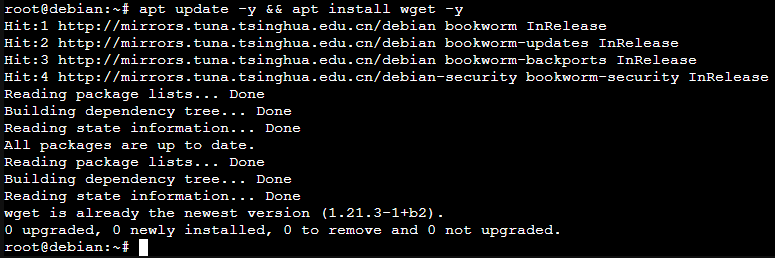
一、准备工作 安装好 wget。 apt update -y && apt install wget -y 确保系统中不存在 mysql-apt-config 包。 dpkg -l | grep mysql-apt-config
2024-05-21

方法一 添加代理设置,添加环境变量 export http_proxy="http://127.0.0.1:8123" export https_proxy="http://127.0.0.1:8123" source /etc/profile 取消代理 unset http_pro
2023-12-21

apt install sudo sudo apt update sudo apt install mlocate sudo apt install wget
2023-09-23

添加内核源 deb http://mirrors.aliyun.com/debian buster-backports main 安装新内核 apt -t buster-backports install linux-image-amd64 apt -t buster-backports
2023-07-14

Debian12已经发布好多天了,本文教你如何从Debian11升级到debian12 方法 1、备份数据:在升级操作系统之前,确保备份所有重要数据以防止丢失。 2、更新系统: 打开终端并运行以下命令,确保已安装的软件包和系统全部更新到最新版本。 sudo apt update su
2023-06-26